 Tonearm
A mini player for Spotify in the Mac menu bar
Click the song in the menu bar to see the cover, title and artist. Play, pause, skip, seek and change the volume without switching to the Spotify app. Liner Notes shows what you played, by week, month, year or all time.
Download for MacOr with Homebrew
brew install --cask abulkosim/tap/tonearm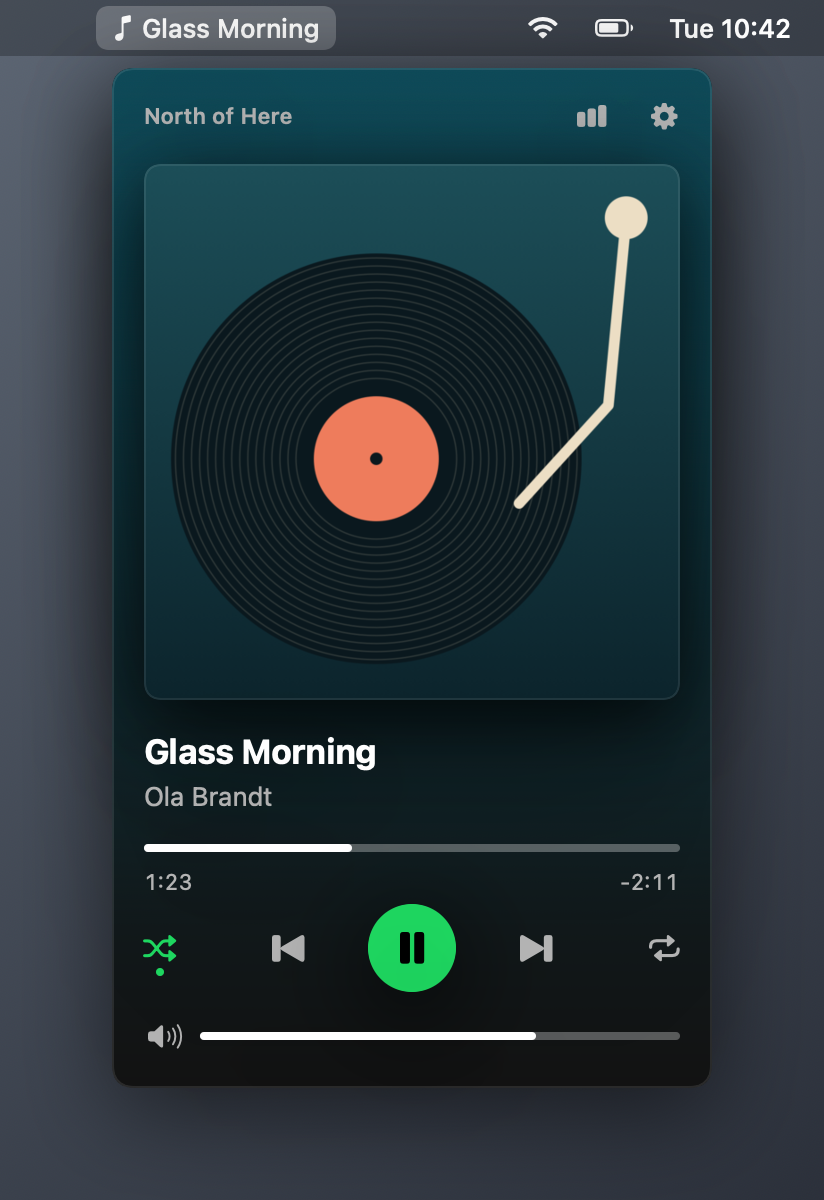
Liner Notes
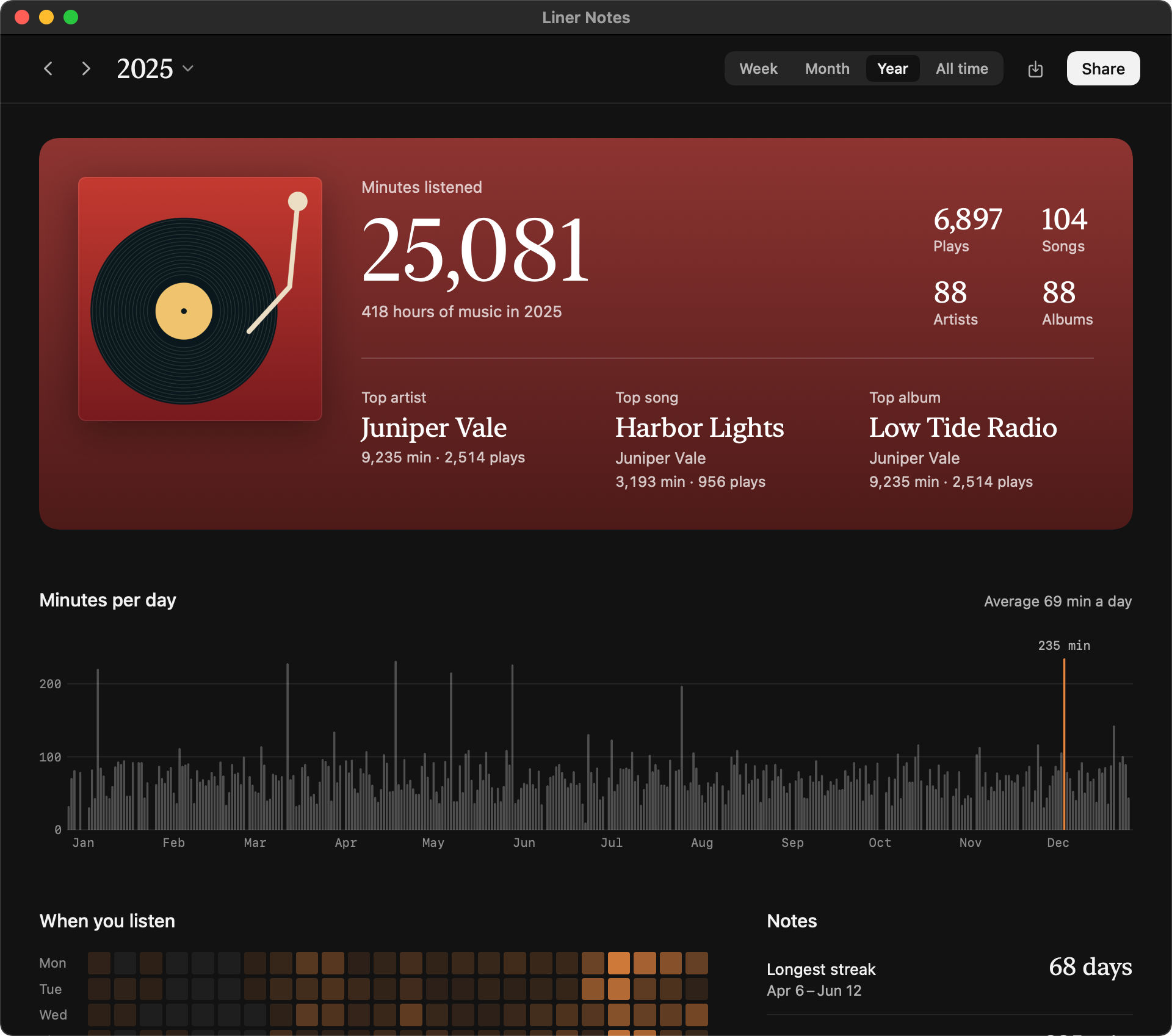
Tonearm keeps a record of each song you play, in a file on your Mac. Liner Notes shows it: minutes listened, top artists, songs and albums, minutes per day, the hours you listen and your longest streak. Import your Spotify data export to see every year you've used Spotify. Share makes a picture of any period. The record leaves your Mac only if you turn on ListenBrainz.
What it does
-
The song in the menu bar
The title, the title and artist, or just an icon. You set how long it gets.
-
Cover and colors
The player shows the cover on a background taken from its colors. A compact layout keeps it small.
-
All the controls
Play, pause, previous, next, shuffle and repeat. Drag the bars to seek or to change Spotify's volume.
-
Keyboard
Space plays or pauses, the arrow keys seek and change the volume. ⌃⌥P ⌃⌥N ⌃⌥B work in any app if you turn them on.
-
No account
Tonearm talks to the Spotify app on your Mac through AppleScript. No login, no Web API, no analytics.
-
Updates itself
It checks once a day and installs new versions. The Spotify permission carries over.
First launch
-
1
Open Tonearm. It is not notarized by Apple, so macOS blocks it the first time. Close the message.
-
2
Within the hour, open System Settings, then Privacy & Security. Scroll down to Security, click Open Anyway and enter your password. On macOS 13 and 14 you can Control-click Tonearm in Applications and choose Open instead. Homebrew installs skip this step.
-
3
Click OK when macOS asks to let Tonearm control Spotify. Then look for Tonearm in the menu bar, next to the clock. It has no Dock icon. If it doesn't show up, see the questions.